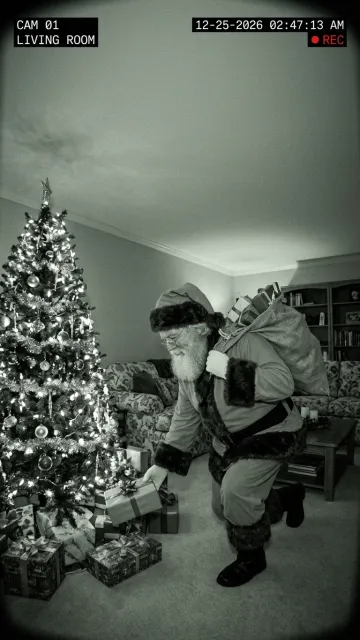
Video template
AI Christmas Magic Portrait Video
Turn one portrait into a dreamy snowy Christmas evening clip with warm bokeh lights.
Upload 1 clear portrait or half-body photo
HOLIDAY PORTRAIT TO VIDEO
How to make a Christmas Magic portrait video
Start with one clear portrait, half-body, or couple photo and generate a vertical 9:16 holiday greeting clip in minutes.
Choose a clear portrait or half-body photo
Pick a well-lit JPG, PNG, or WebP where faces and shoulders are clearly visible. Everyday indoor snapshots, winter coat portraits, and couple selfies all work naturally.
Open the Christmas Magic template
Click Use this template to preselect the snowy evening glow and vertical 9:16 framing. Eligible new accounts receive 20 welcome credits to test image tools, and a one-time $4.99 Starter pack (500 never-expiring credits) unlocks up to 10 crisp 720p HD clips (50 credits each).
Download & share your holiday greeting
Preview the falling snow, warm golden ornament bokeh, and gentle expression before downloading a watermark-free MP4 for Instagram Reels, TikTok, WhatsApp, or digital Christmas cards.
Turn everyday portraits into warm snowy Christmas video greetings
Every December, families, couples, and creators want festive holiday visuals to send to loved ones or post on Instagram Stories, TikTok, and WhatsApp — yet booking an outdoor winter photoshoot in freezing weather or stringing studio fairy lights takes hours of setup and hundreds of dollars. The MiaReel Christmas Magic Portrait video template transforms a single ordinary portrait or half-body snapshot into an atmospheric vertical 9:16 holiday film complete with softly drifting snowflakes, golden market bokeh, gentle camera push-in, and natural facial warmth. Because all choreography, lighting transitions, and winter atmosphere live on the server inside the preset, you never have to write a single word of prompt engineering or touch timeline keyframes.
What makes the Christmas Magic Portrait effect feel cinematic?
Static snow overlays from mobile sticker apps look flat because the snow sits pasted on top of the lens without interacting with depth of field or facial lighting. In contrast, our Christmas Magic Portrait template uses modern diffusion video motion to build layered three-dimensional winter atmosphere around your subject. Foreground snowflakes drift softly out of focus while mid-ground flurries catch warm amber light from distant holiday trees and market garlands. At the same time, your subject comes alive with subtle, believable human micro-movements — a relaxed holiday smile, natural eye contact, gentle breathing, and slight scarf or hair movement in the winter breeze. The camera performs a controlled portrait push-in calibrated specifically for 9:16 mobile screens, keeping facial identity sharp and recognizable from the first frame to the final beat so friends and relatives immediately recognize the person in the clip.
Choosing the best portrait, couple, or family snapshot
Your source image acts as the anchor frame for facial likeness, wardrobe texture, and lighting balance, so picking a clean photo pays off immediately. Select a clear front-facing or three-quarter portrait framed from the chest or waist up, where eyes, nose, and mouth are evenly illuminated without harsh overhead shadows or heavy beauty-filter distortion. Sweaters, wool coats, scarves, plaid shirts, and neutral winter outfits blend effortlessly into the snowy evening palette, though casual indoor photos taken against a plain wall also transition smoothly once the warm bokeh background blooms behind the subject. Avoid extreme close-ups where the forehead or chin is cropped off the edge of the image, group shots with five or more tiny faces competing for focus, or dimly lit night club photos with severe motion blur. If you want to upgrade an indoor selfie into winter attire first, you can even spend 10 credits in Nano Banana 2.1 or Seedream 5.5 to add a cozy knit scarf before animating the portrait.
Creative ways to share digital Christmas video cards & Reels
Animated holiday portraits consistently outperform static greeting cards across personal messaging and social feeds because motion stops the scroll within the first half-second. Families send personalized 5-second MP4 greetings directly inside iMessage, WhatsApp, WeChat, and Telegram family chats so grandparents and overseas relatives receive a living winter moment rather than a generic forwarded graphic. Couples turn engagement photos or autumn travel selfies into save-the-date holiday announcements and festive Instagram Reels paired with acoustic Christmas instrumentals. Solo creators, coaches, boutique shop owners, and real estate agents use the template to post warm year-end thank-you Stories that feel personal and approachable without filming on camera during a busy week. Because every export arrives in crisp vertical 9:16 MP4 format with zero MiaReel watermarks, you can drop your finished clip straight into CapCut, Instagram, TikTok, or YouTube Shorts and add custom greeting text in seconds.
Transparent credit pricing, 480p vs. 720p, and $4.99 Starter unlock
MiaReel keeps holiday video pricing straightforward with no surprise subscription traps. Eligible new accounts receive 20 welcome credits upon registration so you can explore our AI image generators or crisp image upscaler right away, and you can preview your local portrait inside the composer before signing in without uploading anything to cloud storage. When you are ready to render your Christmas Magic Portrait video, standard Seedance 2.0 Mini 5-second generation costs 40 credits at 480p (ideal for fast messaging previews and testing photos) or 50 credits at 720p HD for sharper winter knitwear, hair strands, and golden bokeh highlights. Our one-time $4.99 Starter pack includes 500 never-expiring credits with zero recurring billing — enough to create up to ten crisp 720p HD Christmas portrait videos (50 credits each). If an upstream generation ever fails or times out, MiaReel automatically refunds the deducted credits back to your balance.
Comparing models and troubleshooting common portrait issues
While the default template settings are tuned for immediate one-click results, MiaReel also lets you switch video models or resolutions inside the unified Flow control pill whenever you want a different look. Seedance 2.0 Mini at 480p or 720p delivers warm, steady portrait motion at the lowest credit cost, whereas upgrading to Seedance 2.5 Flash or Kling 4.0 brings richer fabric physics and native ambient winter audio for flagship social posts. If your first render shows slight hand artifacts, check whether your original photo had partially cropped fingers near the bottom edge or a coffee mug blocking the chin; cropping cleanly above or below the hands or choosing a photo with relaxed shoulders resolves almost every edge case. Likewise, if glasses catch heavy glare in the original selfie, choosing a shot without bright window reflections ensures the eyes remain expressive throughout the snowy camera move. When testing holiday lighting across multiple family portraits, pay attention to color temperature as well: daylight photos shot near a window carry neutral skin tones that accept warm golden tree highlights naturally, whereas photos taken under strong green or magenta neon indoor bulbs benefit from a quick auto-white-balance tap in your phone gallery before uploading. Keeping hair edges unobstructed against the background also helps drifting snowflakes pass behind and in front of shoulders with convincing optical depth.
Privacy, storage, and stress-free holiday creation
Personal family and couple portraits deserve strict privacy handling rather than public gallery exposure. On MiaReel, local photo selection before login stays inside your own browser memory and IndexedDB draft cache until you explicitly sign in and submit a generation. Completed videos are stored privately inside your personal My Creations library — never published to a public community feed — so you stay in complete control of which family members or followers see your holiday clips. You can re-download your watermark-free MP4 files on phone or desktop throughout the holiday season or delete assets whenever you choose, making MiaReel a clean, dependable studio for Christmas greetings year after year.