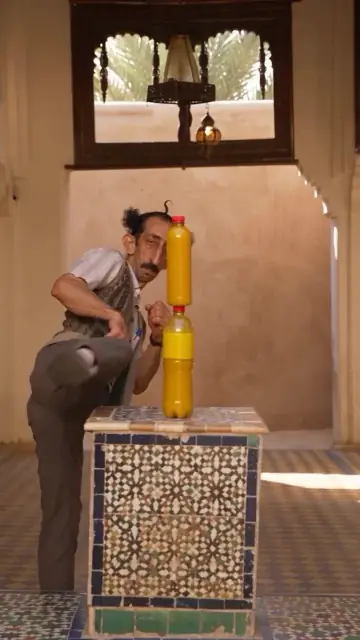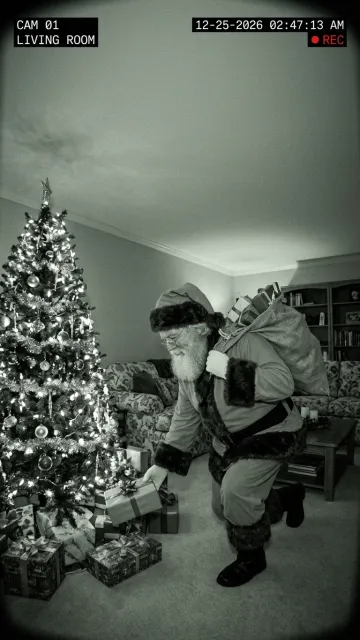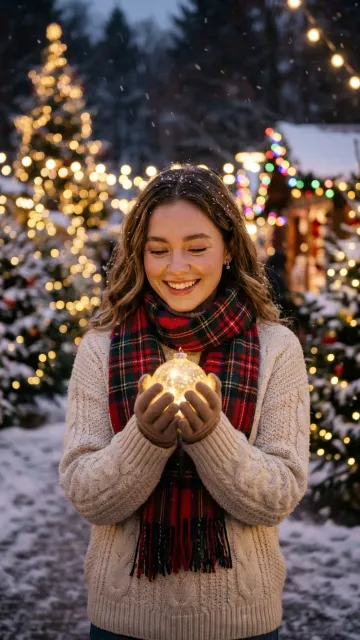
Video template
Hotel Lobby AI Video Generator: Turn One Photo Into the Iconic Orange Studio Mic Clip
Step into the iconic tangerine-orange studio booth under the hanging chrome condenser mic and deliver viral rap-session swagger from one photo.
1 clear front-facing portrait, duo photo, or pet photo
How It Works
Make a Hotel Lobby Studio Mic Video in Three Steps
No timeline editing, green screens, or studio lighting rigs required. Upload a clear photo and let MiaReel stage the orange cyclorama booth and hanging chrome microphone automatically.
Upload Your Portrait or Duo Photo
Pick a well-lit front-facing selfie, a two-person friend photo, or even a dressed-up pet portrait with clear facial features and unobstructed shoulders.
Unlock Video Credits & Hit Generate
Eligible new accounts start with 20 welcome credits to test AI image tools, and you can unlock instant 9:16 video rendering (50 credits at 720p HD on Seedance 2.0 Mini) with the one-time $4.99 Starter Pack (500 non-expiring credits, no subscription).
Download 9:16 MP4 With Original AI Audio
Export your watermark-free 9:16 MP4 complete with original AI studio vocals & beat (or toggle audio off anytime and attach trending tracks inside TikTok, Reels, or Shorts).
Complete Guide to the Hotel Lobby AI Video & Hanging Studio Mic Trend
Few short-form visual formats are as instantly recognizable on social feeds as the minimalist monochrome orange studio booth paired with a single upside-down vintage chrome condenser microphone. Viewers scrolling TikTok, Instagram Reels, and YouTube Shorts recognize the aesthetic within a tenth of a second: a saturated tangerine cyclorama backdrop, soft overhead studio diffusion, a locked medium-full vertical camera, and effortless head-nod performance energy right beneath the suspended mic. With the MiaReel Hotel Lobby AI Video Generator, creators, friend groups, gaming communities, and pet owners can place their own original portraits directly inside this iconic studio performance aesthetic without renting a cyclorama stage, rigging overhead audio gear, or spending hours masking keyframes in desktop editing software.
Why the Orange Studio Booth & Hanging Mic Aesthetic Stopped the Scroll
Most viral video effects rely on chaotic background explosions or heavy visual clutter that compete with the subject on small phone screens. The orange studio mic format succeeds for the exact opposite reason: radical visual minimalism. By stripping away every background distraction into a smooth, vibrant tangerine-orange seamless wall and anchoring the upper center of the 9:16 frame with a polished silver studio microphone, 100 percent of viewer attention locks onto the posture, outfits, sunglasses, and rhythmic expressions of the performer. That stark color contrast makes ordinary selfies, duo portraits, and pet photos look like an editorial music-session shoot the moment the clip begins playing in a mobile feed. Whether you are celebrating a project launch with your co-founder, hyping up your rec-league basketball duo, or turning your Shiba Inu into a streetwear studio star, the visual punch lands immediately even before viewers tap unmute.
How to Choose the Best Input Photo for Crisp Studio Mic Motion
Because the Hotel Lobby AI preset frames subjects from the waist or chest up beneath an overhead microphone, your source photo plays a major role in how sharp and natural the generated movement looks. Start with a clear, front-facing portrait or two-person photo where faces are evenly lit without harsh nose shadows, heavy motion blur, or hands covering the mouth and chin. Half-body and upper-body shots give the motion engine plenty of room to animate realistic shoulder bounce, natural torso rhythm, and expressive studio hand gestures without stretching clothing edges. High-contrast streetwear silhouettes—such as varsity jackets, structured hoodies, bomber jackets, crisp white tees, or bold eyewear—pop dramatically against the warm tangerine backdrop. If you are uploading a two-person friend photo, choose a shot where both people stand close together at a similar distance from the camera lens so both subjects stay evenly sharp throughout the performance.
Solo Performers, Best-Friend Studio Mic Duos, and Pet Editions
Searchers looking for a Hotel Lobby AI video generator or a hip-hop studio mic video template usually have one of three creative angles in mind, and this preset handles all three cleanly. First, solo portraits place a single creator dead-center beneath the hanging chrome condenser mic with confident head nods and camera eye contact—ideal for creator intros, music producer promos, and reaction memes. Second, two-person photos bring best friends, couples, siblings, or teammates shoulder-to-shoulder under the mic so they trade energetic studio presence side by side. Third, pet portraits—cats in tiny hoodies, golden retrievers in sunglasses, or French bulldogs sitting upright—turn family pets into unforgettable comedy clips for group chats and holiday reels. Because you can preview your photo locally in the composer before signing in and switch models anytime between economical Seedance 2.0 Mini and flagship cinema engines like Kling 4.0 or Seedance 2.5 Flash, dialing in the exact performance vibe takes seconds. Always use photos of yourself, consenting friends, original characters, or your own pets so your creations stay authentic, personal, and compliant across every social platform.
Transparent Credit Pricing, Welcome Credits, and Automatic Refund Protection
MiaReel keeps video generation pricing straightforward so you never have to lock into a surprise monthly subscription just to make a viral clip. Eligible new accounts receive 20 welcome credits upon sign-up so you can immediately explore AI image generation and image upscaling inside the studio. When you are ready to render full 9:16 Hotel Lobby AI videos—starting at 40 credits for a 5-second 480p clip or 50 credits for crisp 720p on Seedance 2.0 Mini—you can unlock the one-time $4.99 Starter Pack for 500 non-expiring credits with zero recurring billing. That single $4.99 pack gives you enough credits for up to ten 720p HD studio mic videos. Better yet, if an upstream AI model ever times out or fails to complete your generation task, MiaReel automatically returns 100 percent of the deducted credits to your balance immediately, and unused one-time credit packs are covered by a 14-day refund window.
Built-In Original AI Studio Rap Audio Plus Easy Social Sound Swapping
Great performance clips need great sound, without ever risking a third-party record-label copyright strike. By default, MiaReel generates 100 percent original, royalty-free AI studio vocals and rhythmic beats directly inside your 9:16 MP4 at zero extra credit cost (controlled by the Audio On toggle in the composer), while keeping zero copyrighted commercial songs embedded. You can publish the AI-voiced studio rap clip straight to social feeds as-is, or mute the original track inside TikTok, Instagram Reels, or YouTube Shorts in one tap and attach any trending sound from their built-in licensed music libraries for extra algorithmic discovery. Align the beat drop with your subject first head nod and place a short punchy caption across the clean orange negative space above the hanging mic.
Creative Hooks and Safe Sharing Best Practices for Higher Watch Time
The highest-performing studio booth clips combine strong visual contrast with a relatable one-line text hook in the first two seconds—for example, celebrating Friday afternoon after closing all browser tabs, introducing your fantasy league co-managers, or showcasing your dog waiting for dinner at 5:01 PM sharp. Because the upper third of the orange cyclorama wall provides clean, uncluttered negative space around the microphone cable, short bold white captions remain effortless to read without covering anyone face. For multi-clip reels, many creators render two variations from slightly different outfits or duo poses and cut between them on snare hits to mimic a multi-take studio session. Remember that MiaReel enforces strict content safety and portrait authorization standards: only upload photos you own or have explicit permission to animate, avoid unauthorized public figures or minors in sensitive contexts, and keep prompts creative and respectful. Ready to test your own studio booth session? Upload one photo above and generate your 9:16 Hotel Lobby AI clip in minutes.