
Image to Video AITurn any photo into a video.
Upload one photo to animate it instantly, apply a ready-made template, or add optional motion direction — no prompt or editing skills needed.
Pick a template, get the same effect
HOW IT WORKS
How to turn any photo into a video with AI
One photo. Instant natural motion or ready-made templates. Zero editing.
Upload any photo
Choose a clear portrait, pet, product, travel, or family photo in JPG, PNG, or WebP.
Animate instantly or pick a template
Press Generate right away for lifelike natural motion, apply a viral 9:16 template effect, or add optional camera notes.
Preview, download, and share
Matches your photo's original aspect ratio by default, or exports in 9:16 vertical for TikTok, Reels, and Shorts.
Image to Video AI & Photo to Video Generator — Made Simple
MiaReel is an image to video AI and photo to video generator built around one clear goal: turning any photo into a short video worth sharing. Upload one picture and press Generate for instant natural motion — no prompt writing, timelines, or model guesswork required. When you want a specific viral look for TikTok, Instagram Reels, or YouTube Shorts, pick a ready-made template; when you have a custom shot in mind, add optional motion notes in plain words.
01 · PHOTO TO HD VIDEO
Zero-prompt animation, ready-made templates, or custom direction
Not every photo needs a written prompt or a preset dance. In standard photo-to-video mode, MiaReel defaults to an adaptive aspect ratio and crisp 720p HD quality (50 credits), automatically preserving horizontal, square, or portrait photos without awkward cropping — just upload one photo and click Generate for natural lifelike motion. When you want a choreographed social effect, choose a ready-made template where the action, lighting, and full-screen 9:16 vertical framing are already tuned for you. And whenever you want specific camera movement, type a short optional instruction in the prompt box.
 1 Still Photo → 5s 720p HD Video with Native Audio · 50 cr
02 · MULTI-MODEL TRANSPARENCY
Transparent credit pricing with no required subscription
Every generation shows its exact credit cost on the button before you submit — even before signing in. Eligible new accounts receive 20 welcome credits to try AI image generation, photo upscaling, or a 5-second 1080P video upscale for free, while 5-second HD 720p photo-to-video clips start at just 50 credits ($0.50/clip) and unlock right away with the $4.99 Starter one-time credit pack (500 non-expiring credits — up to 10 HD 720p videos, no subscription needed). If an eligible task fails or times out, credits are refunded automatically, and every completed video stays in My Creations ready to watch and download.
03 · 4K & 8K SUPER-RESOLUTION
Sharpen blurry photos & upscale clips up to 4K / 8K
Before animating a low-resolution portrait — or after generating your favorite clip — use MiaReel’s built-in AI Image Upscaler (from 5 credits) and AI Video Upscaler (from 4 credits/s) to deliver razor-sharp studio masters.
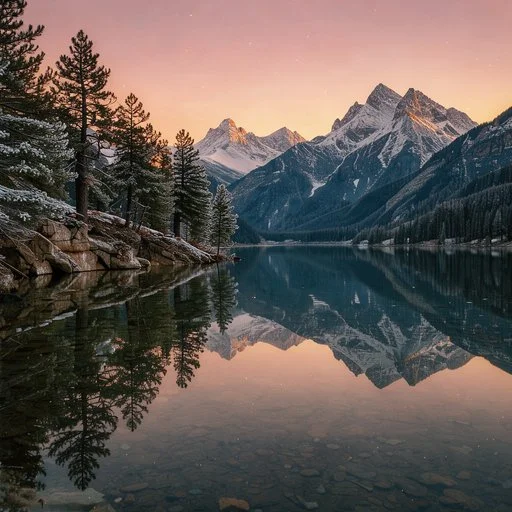 Original 512px
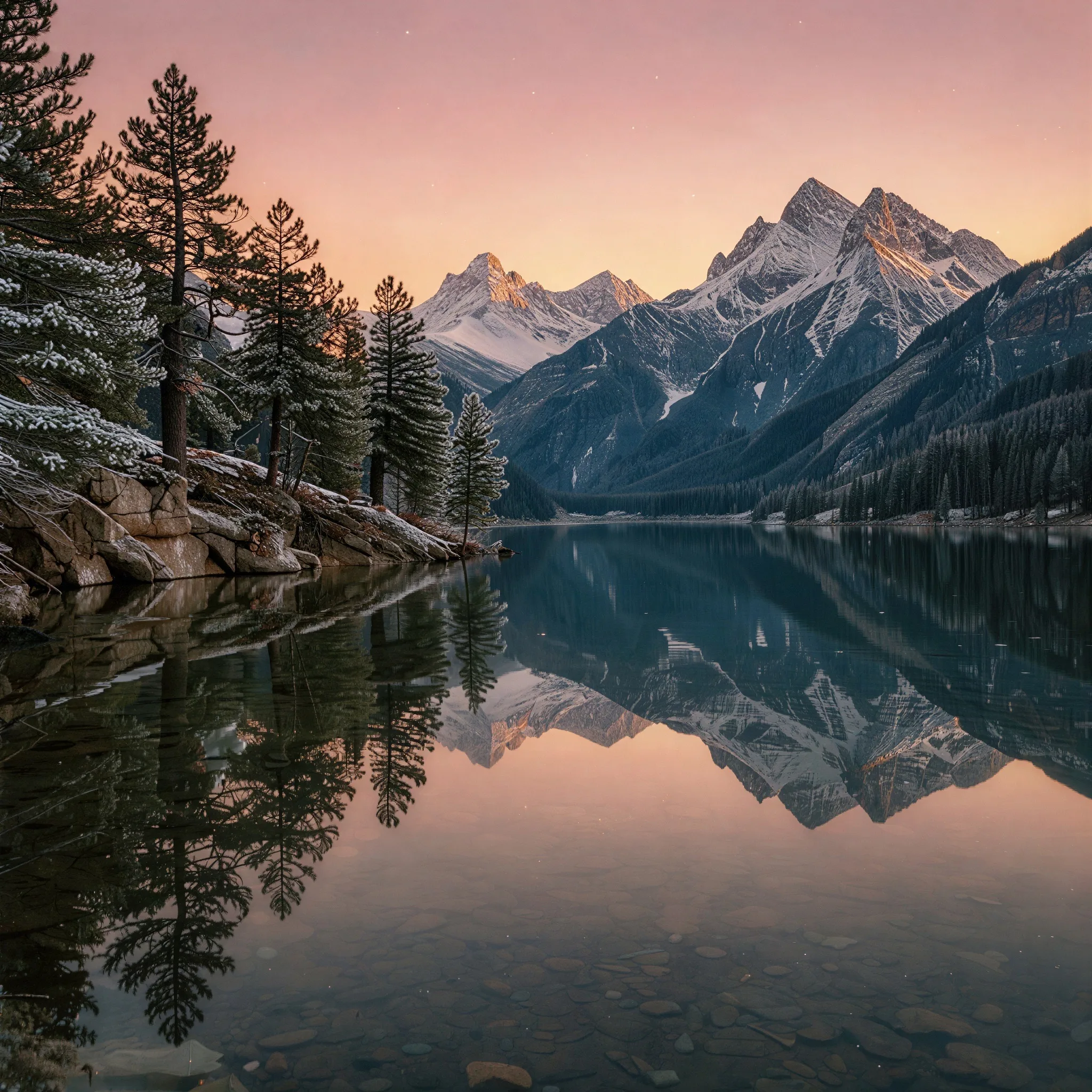 4× Upscaled 2048px
What is image to video AI (photo to video AI)?
Image to video AI — often searched as photo to video AI — takes a still picture and generates realistic motion that naturally follows from the frame: a subtle head turn, gentle breathing and expression, flowing fabric, shifting studio light, or a smooth camera push toward the subject. Because your uploaded photo anchors who and what is on screen, the face, outfit, product geometry, and room layout stay recognizable instead of being invented from scratch like text-only generators.
Zero-prompt animation, ready-made templates, or custom direction
Not every photo needs a written prompt or a preset dance. In standard photo-to-video mode, MiaReel defaults to an adaptive aspect ratio and crisp 720p HD quality (50 credits), automatically preserving horizontal, square, or portrait photos without awkward cropping — just upload one photo and click Generate for natural lifelike motion. When you want a choreographed social effect, choose a ready-made template where the action, lighting, and full-screen 9:16 vertical framing are already tuned for you. And whenever you want specific camera movement, type a short optional instruction in the prompt box. Browse AI video templates →
What you can create from a single photo
Bring a portrait or treasured family photo to life with natural expression and subtle camera motion. Make a full-body photo dance or perform a playful martial arts stunt for a viral clip. Animate your dog, cat, or character art with expressive movement. Give travel and landscape shots drifting light and cinematic depth, or turn a clean e-commerce product photo into a sleek rotating commercial. Want dedicated flagship models like Kling 4.0, Seedance 2.5 Flash, Nano Banana 2.1, GPT Image 2.6, or Seedream 5.5? Explore MiaReel's flagship AI model studios anytime. Explore all flagship AI models →
Built for original photo ratios and 9:16 social feeds
Short video drives discovery across every platform, and the photos already on your camera roll are the fastest way to publish consistently. Keep the default adaptive ratio when animating landscape, 4:3, or square photos as-is, or select 9:16 vertical (automatically set on every MiaReel template) so your finished clip fills TikTok, Instagram Reels, and YouTube Shorts edge to edge.
Tips for the cleanest photo-to-video results
Start with a sharp, well-lit JPG, PNG, or WebP image up to 15 MB where the main subject is unobstructed. Front-facing portraits produce the most natural facial motion, while head-to-toe photos give dance and action templates full room to move. Avoid heavy blur, extreme color filters, or tiny subjects lost in crowded backgrounds. If you want to sharpen an older or low-resolution picture first, run it through MiaReel's AI Image Upscaler (from 5 credits) before animating.
Use photos you have permission to animate
Only upload photos you own or have clear permission to transform and share. Do not use image to video AI to create misleading, non-consensual, or harmful footage of real people. Respecting privacy and likeness rights keeps creative AI safe for everyone.
Transparent credit pricing with no required subscription
Every generation shows its exact credit cost on the button before you submit — even before signing in. Eligible new accounts receive 20 welcome credits to try AI image generation, photo upscaling, or a 5-second 1080P video upscale for free, while 5-second HD 720p photo-to-video clips start at just 50 credits ($0.50/clip) and unlock right away with the $4.99 Starter one-time credit pack (500 non-expiring credits — up to 10 HD 720p videos, no subscription needed). If an eligible task fails or times out, credits are refunded automatically, and every completed video stays in My Creations ready to watch and download. View credit packs and pricing →