
Restore & colorize old family photos in seconds.
Erase diagonal creases, surface scratches, dust, and decades of fading while preserving every loved one’s exact facial likeness — no prompt needed. Start from 10 credits (restore 2 photos free with 20 welcome credits), then animate your restored portrait into a living HD video in one click.
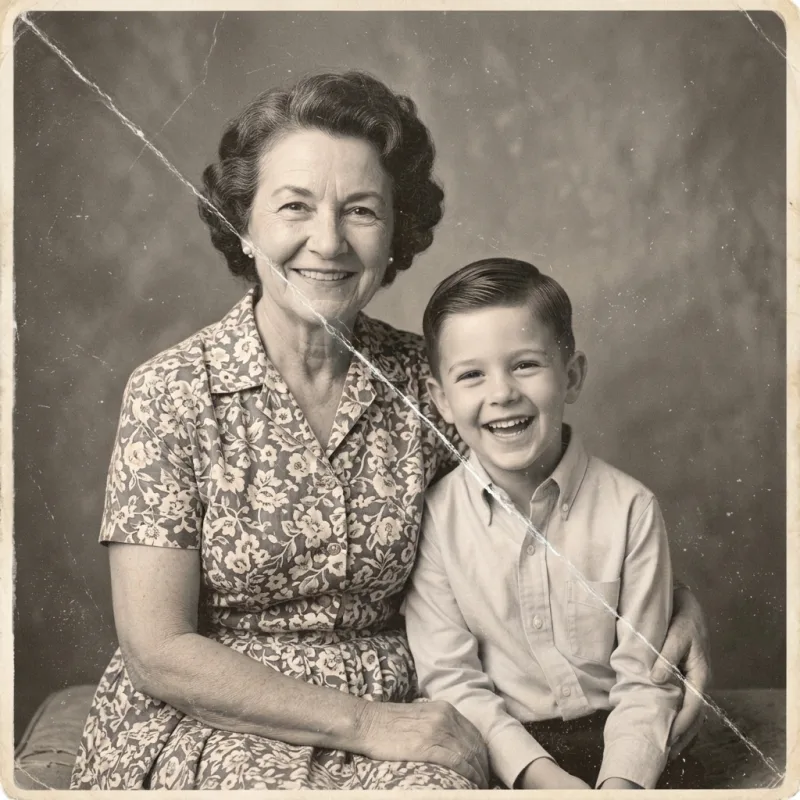
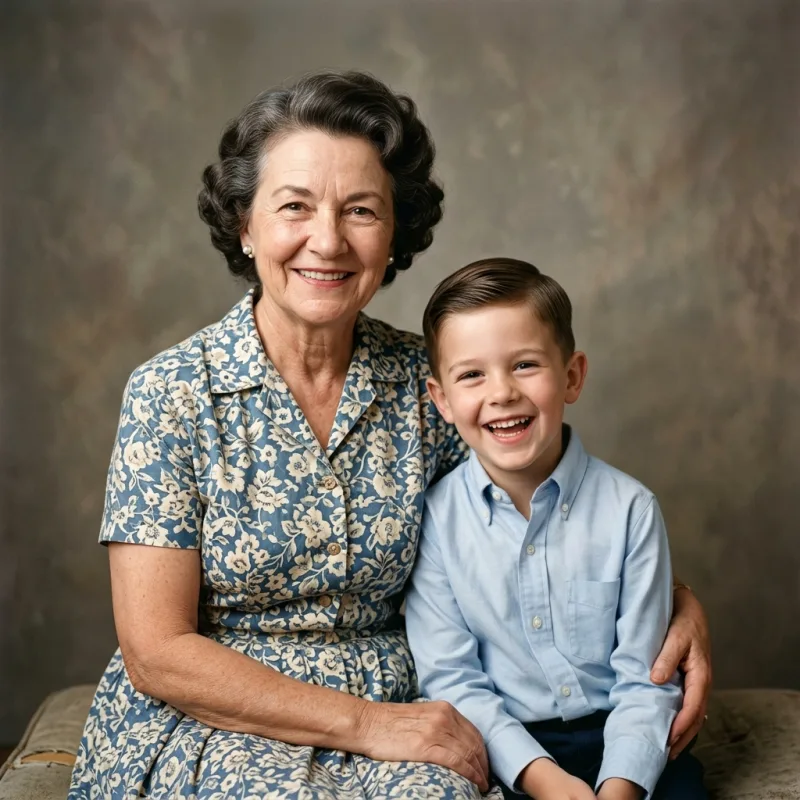
Diagonal paper fold line, dust specks, and sepia fade cleanly removed while keeping grandmother and grandson’s exact facial expressions intact.
Once restored, click Animate to make loved ones smile and blink naturally (50 credits — up to 10 HD videos in a $4.99 Starter Pack).
Old Photo Restoration Examples
Compare each damaged vintage print with its actual restoration result, including crease removal, monochrome cleanup, and natural colorization.
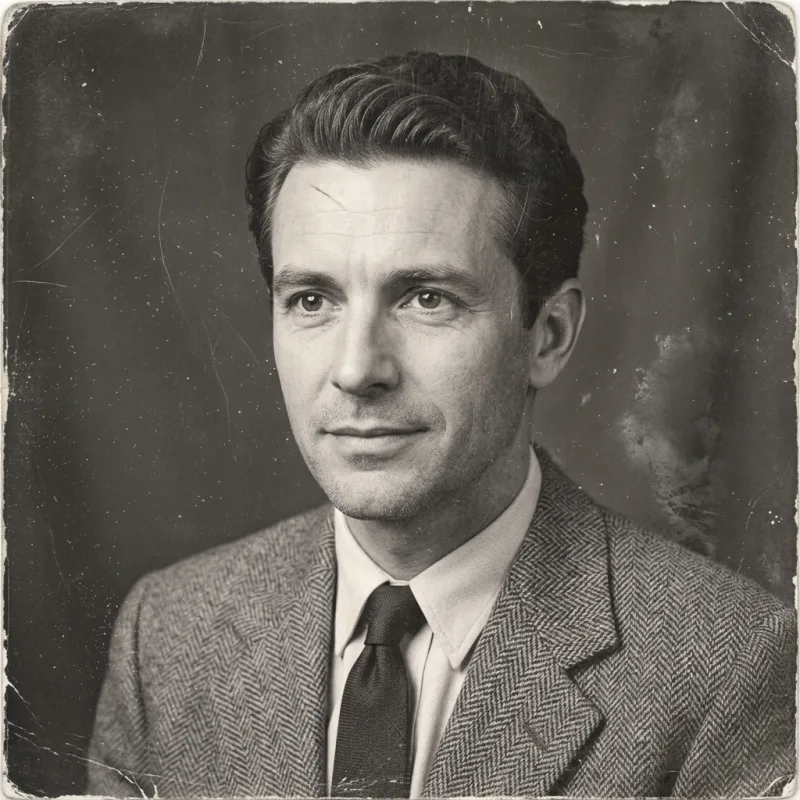
Clean Up a Scratched Monochrome Portrait
Compare the original 1940s monochrome print with the restored output. Fine hairline scratches, dust specks, and worn paper edges are removed while keeping every facial contour and classic black-and-white tone intact.

Restore and Colorize a Creased Family Photo
Erase heavy diagonal fold creases across faces and garments while adding natural, lifelike skin tones and period-appropriate wardrobe colors — ideal for framing or sharing at family reunions.
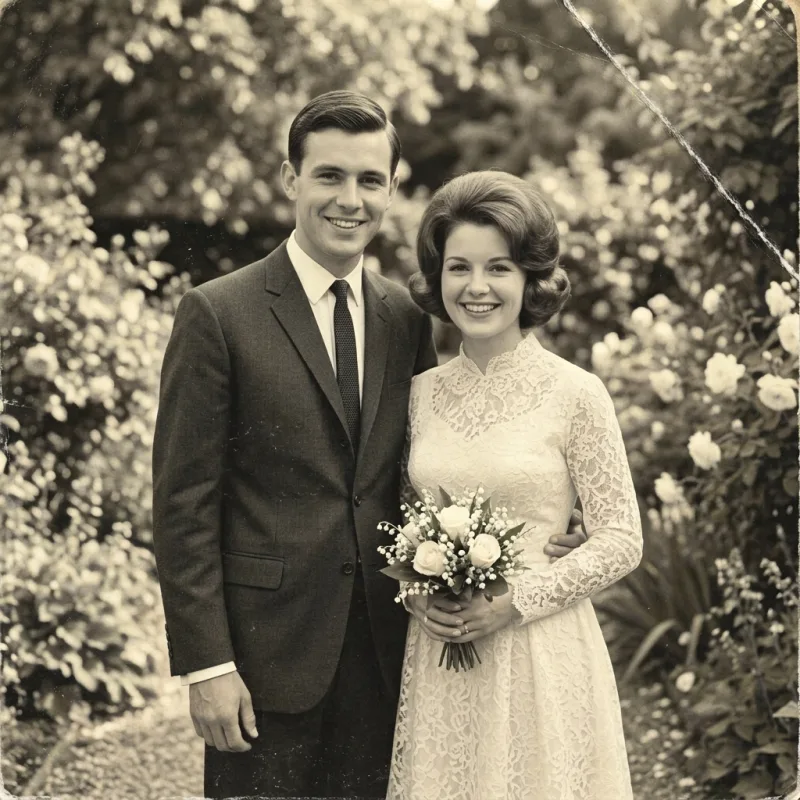
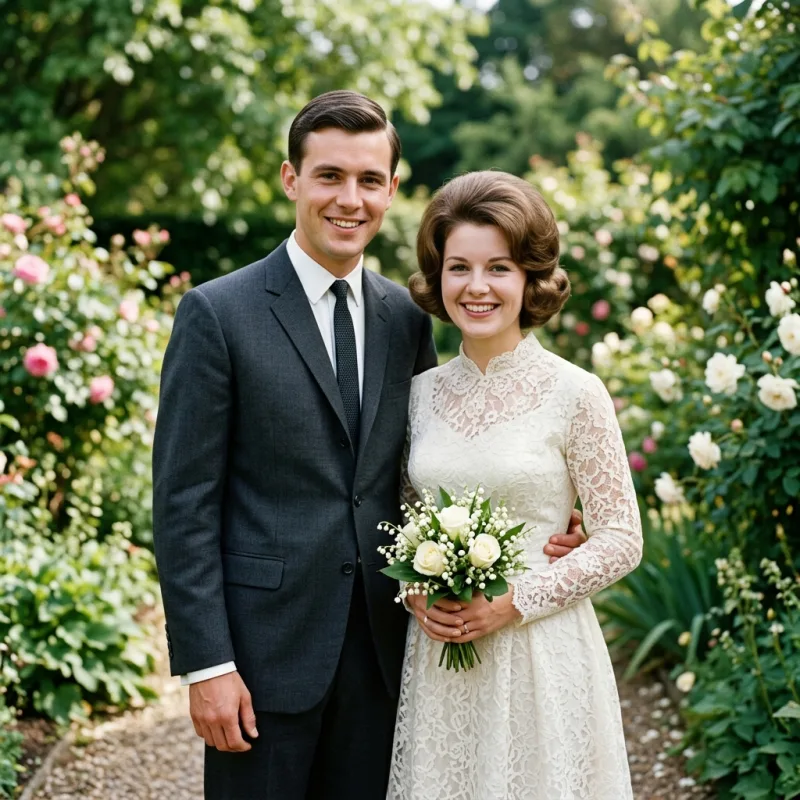
Refresh a Faded Sepia Wedding Print
See how a sun-bleached, yellowed 1960s print regains crisp facial clarity, lace dress texture, and balanced daylight color without artificial oversaturation.
How to restore & colorize an old photo online
No sliders, brush masks, or text prompts — go from a worn paper album snapshot to a frame-ready digital portrait in under 20 seconds.
Upload a scan or smartphone snapshot
Drop a flatbed scan or a well-lit phone photo of your print (JPG, PNG, or WebP up to 15 MB). Preview works locally in your browser before login.
Pick Colorize, Keep B&W, or Deep Rebuild
Select natural colorization, classic monochrome restoration, or heavy-damage reconstruction, and choose 1K (10 cr), 2K (15 cr), or 4K (22 cr).
Download watermark-free or animate into video
Save your clean high-resolution portrait immediately, enlarge up to 8K for framing, or click Animate to turn your family memory into a 5-second HD clip.
Transparent credit rates — try 2 restorations free with welcome credits
Supports JPG, PNG, and WebP up to 15 MB. Original portrait, landscape, or square proportions are preserved automatically.
| Output Tier | Typical Dimensions | Cost per Photo | With $4.99 Starter Pack (500 cr) |
|---|---|---|---|
| 1K | ~1024×1024 px | 10 credits | Up to 50 restored photos |
| 2K | ~2048×2048 px | 15 credits | Up to 33 restored photos |
| 4K | ~4096×4096 px | 22 credits | Up to 22 restored photos |
| Bonus: Animate Restored Portrait | 5s · 720p HD MP4 | 50 credits / 5s clip | Up to 10 living HD portrait videos |
AI Old Photo Restoration FAQ
Whether you are preserving 1940s wedding portraits, childhood snapshots from the 1970s, or preparing a holiday tribute video for parents and grandparents, a clean capture makes every detail shine.
Can I restore an old photo for free before buying credits?
Yes! Eligible new accounts receive 20 welcome credits upon sign-up, and 1K photo restoration costs just 10 credits (or 15 credits at 2K), so you can restore up to two family photos right away at zero cost.
Will AI photo restoration change my relatives’ real faces?
Our restoration workflow uses Google Nano Banana 2.1 with strict identity-preservation instructions designed to heal scratches, folds, and blur while keeping original facial structure, expressions, and age characteristics recognizable.
Can I repair scratches and tears without colorizing a black-and-white photo?
Absolutely. Choose the “Keep Classic B&W · Repair & Sharpen” mode on the left panel to remove creases, dust, and blur while preserving authentic monochrome tones.
How do I make my restored old photo smile and move?
As soon as your restored portrait finishes rendering, click “Bring Photo to Life (5s HD Video · 50 cr)” right beneath the result. It loads your restored image directly into our HD video studio with a gentle lifelike portrait motion preset.
Do I need a monthly subscription to restore a whole family album?
No subscription is required. Our one-time $4.99 Starter Pack includes 500 never-expiring credits — enough to restore up to 50 photos at 1K (or restore 25 photos and animate 5 living HD portrait videos) with zero auto-renewal.
Are my uploaded family photos kept private, and what if a task fails?
Yes. Uploaded originals and restored outputs are private to your account in My Creations and are never posted publicly. If an upstream task ever fails or times out, 100% of the deducted credits are automatically returned to your balance.
Related AI image & video tools
Explore dedicated studios to upscale, retouch, or animate your photos.
Enlarge prints up to 4K & 8K


1 selfie → studio corporate portrait
Turn restored portraits into 5s HD video
Upgrade family clips up to 4K
Give Your Old Family Photos a Clearer Look
Start with 20 welcome credits (2 free 1K restorations) — no subscription required.