Video template
Sugar On My Tongue AI Dance Generator: Animate One Photo Into a Crisp Street-Funk Groove
Turn one clear front-facing photo into a crisp vertical 9:16 street-funk dance clip — bouncy knee groove, cheerful beat-matched hand gesture, and sharp shoulder pops ready for TikTok, Reels, and Shorts.
1 clear front-facing photo (yourself or with explicit permission)
3-STEP WORKFLOW
How to Make a Sugar On My Tongue AI Dance Video
Go from a single static portrait to a beat-ready 9:16 studio groove clip in under two minutes — zero choreography prompts or timeline editing required.
1. Upload One Clear Front-Facing Portrait
Click Use This Template to open the preset in MiaReel Studio, then upload a well-lit half-body or full-body photo of yourself (or an authorized subject) with arms and shoulders visible.
2. Pick Your Video Model & Generate in 9:16
New accounts start with 20 welcome credits, and the one-time $4.99 Starter Pack adds 500 never-expiring credits so you can generate crisp 9:16 dance clips on MiniMax H3, Seedance 2.0 Mini, or Kling 4.0.
3. Download MP4 & Pair Official Sound on TikTok or Reels
Download your watermark-free vertical MP4 clip, import it into TikTok, Instagram Reels, or YouTube Shorts, and attach the official trending track from the platform sound library.
Complete Guide to Creating Viral Sugar On My Tongue AI Dance Clips from One Photo
The Sugar On My Tongue AI dance trend has become one of the fastest-moving vertical video formats across TikTok, Instagram Reels, and YouTube Shorts because it pairs effortless, upbeat funk-inspired street choreography with single-photo AI animation. Instead of spending an afternoon memorizing footwork counts, setting up studio tripods, or recording dozens of retakes, creators upload one well-lit front-facing portrait and generate a smooth vertical 9:16 dance clip that preserves the subject facial features, hairstyle, and everyday outfit. MiaReel packages the clean studio choreography preset directly on the server — starting with a relaxed knee bounce, a cheerful finger-point gesture near a bright smile on the downbeat, crisp shoulder isolations, geometric arm framing, and light-footed party shuffle steps inside a bright minimalist white-tiled dance room — so you never have to write complex motion prompts by hand.
Why the Sugar On My Tongue Street-Funk Routine Works So Well With Photo-to-Video AI
Not every viral dance translates cleanly to single-image AI video generation. Routines with rapid 360-degree spins, floor acrobatics, or heavy camera shake often cause garment flicker or hand blur because the model has to invent unseen back angles from a single front portrait. By contrast, the Sugar On My Tongue studio groove is built around camera-facing upper-body rhythm: a loose bounce in the knees, crisp side-to-side weight shifts, sharp shoulder pops, and clean geometric hand accents around the chest and smile while facing a steady vertical 9:16 lens. Because the dancer stays oriented toward the camera inside an evenly lit studio space, modern image-to-video models keep facial identity, collar lines, jacket textures, and sneaker details remarkably consistent from the opening beat to the final frame. Whether you are animating a casual streetwear portrait, an illustrated original character, or a cozy friend-group memory with permission, the upbeat cadence feels natural rather than robotic.
How to Choose the Best Input Photo for Crisp Hands, Shoulders, and Facial Consistency
Your starting photo determines eighty percent of the final dance quality. For the cleanest choreography transfer, pick a sharp, front-facing half-body or full-body photo where the face, shoulders, both arms, and torso are clearly visible without heavy foreground obstructions. Natural daylight or even indoor lighting works far better than harsh nightclub neon or deep shadows across the eyes, because balanced illumination gives the video model clear landmarks when animating head nods and smiles. Avoid group shots with overlapping shoulders when running a single-person dance preset, and steer clear of extreme close-up selfies cropped at the chin — leaving breathing room around the waist and elbows gives the choreography space for snappy arm hits and relaxed knee bounce. If you are starting from an older, low-resolution smartphone snapshot, running it through MiaReel AI Image Upscaler first sharpens eyes, fabric weave, and hair edges before you generate motion. AI Image Upscaler →
How to Pair Trending Audio Safely on TikTok, Instagram Reels, and YouTube Shorts
MiaReel intentionally generates and exports clean, copyright-safe dance motion video without bundling third-party commercial music tracks inside the raw MP4 file. This keeps your downloads 100 percent compliant with platform copyright policies and prevents automated muting when you cross-post across social networks. Once your vertical 9:16 dance clip finishes rendering in MiaReel, download the MP4 to your phone or desktop, open TikTok, Instagram Reels, or YouTube Shorts, and select the official trending audio track directly from the platform licensed sound library. Because our studio dance preset paces its opening knee bounce and upbeat arm accents at a steady modern funk tempo, aligning the clip with the beat drop inside TikTok or CapCut takes less than fifteen seconds. Many short-form creators also duplicate the 5-to-8-second dance take or trim a subtle 0.2-second lead-in right on the opening snare snap so the loop restarts seamlessly for higher watch-time retention. For extra crispness on high-DPI mobile feeds, you can also pass your finished clip through MiaReel Video Upscaler to boost resolution up to 4K before posting. AI Video Upscaler →
Transparent Credit Pricing, Welcome Credits, and Instant Failure Refunds
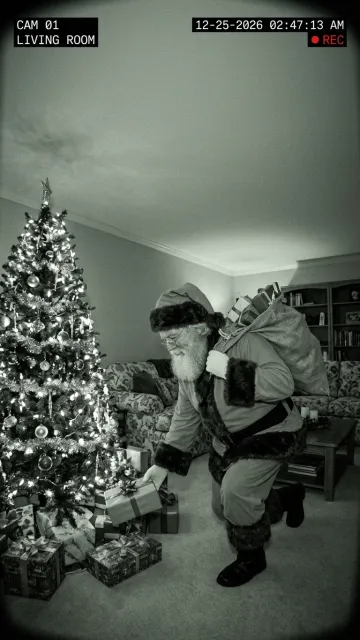
Every MiaReel account receives 20 welcome credits right after sign-up and email verification so you can explore image tools, test prompt ideas, or restore portraits immediately. When you are ready to render full-length vertical dance videos on flagship models, our one-time $4.99 Starter Pack unlocks 500 never-expiring credits with no recurring subscription required — enough for ten 5-second 720p or 768P clips on Seedance 2.0 Mini or MiniMax H3 at 50 credits per clip, or multiple cinema-grade dance renders on Kling 4.0 Flash. The exact credit cost is always calculated and displayed on the Generate button before you submit, with zero hidden fees. Better yet, MiaReel protects your balance automatically: if an upstream provider times out, rejects a request, or fails to deliver a playable video, our ledger refunds the deducted credits back to your account automatically. Hotel Lobby AI Video → · Santa Cam →
Comparing MiniMax H3, Seedance 2.0 Mini, Kling 4.0, and Kling 3.0 Motion Control for AI Dance
MiaReel lets you run the Sugar On My Tongue dance preset on multiple leading video engines inside one unified studio, or step up to full reference-video choreography control whenever you want custom moves. MiniMax H3 and Seedance 2.0 Mini are our fastest everyday choices: at 50 credits for a 5-second HD vertical clip, both deliver lively rhythm, natural facial expressions, and stable streetwear textures in roughly a minute. When you want cinema-grade garment physics, crisp finger articulation during fast arm hits, or longer 8-to-10-second takes, switching the model selector to Kling 4.0 raises motion realism even further. And if you already recorded a specific reference dance video whose exact body timing you want your character portrait to follow frame by frame, head over to our dedicated Kling 3.0 Motion Control workspace to drive full-body motion directly from your own reference clip. Kling 4.0 AI Video → · Kling 3.0 Motion Control →
Portrait Permission, Wholesome Studio Styling, and Responsible AI Guidelines
MiaReel is built for creative, respectful, and commercial-safe social storytelling. Unlike provocative music-video edits, our Sugar On My Tongue studio preset is engineered strictly around bright minimalist dance-studio lighting and wholesome upbeat street-funk choreography while keeping the modest everyday clothing from your uploaded photo intact. Always upload photos of yourself, your own original artwork, or friends and clients who have given explicit permission to animate their likeness. MiaReel enforces automated multi-stage text and image safety screening before generation: non-consensual celebrity impersonation, minors in unsafe contexts, revealing or fetishized attire, and deceptive deepfakes are strictly prohibited under our Terms of Service and Acceptable Use Policy. Following these simple guidelines keeps your creator account safe on TikTok, Reels, and Shorts while producing joyful dance clips your audience wants to share.